In this post i’ll explain a novel method I found for separating the trees from everything else in a 3D scan of a mountain bike trail.
Often these trees appear as very malformed blobs, as they are on the edge of the scan. Because of this, I want to be able to automatically find them and replace them with more realistic models.
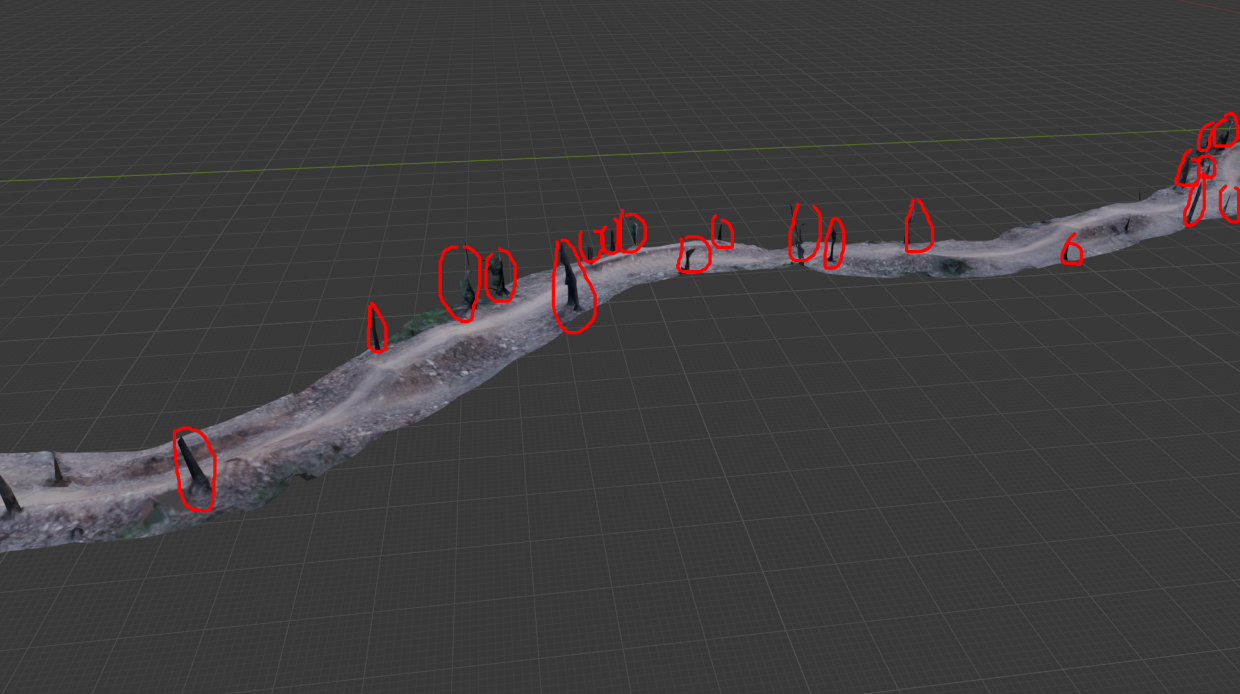
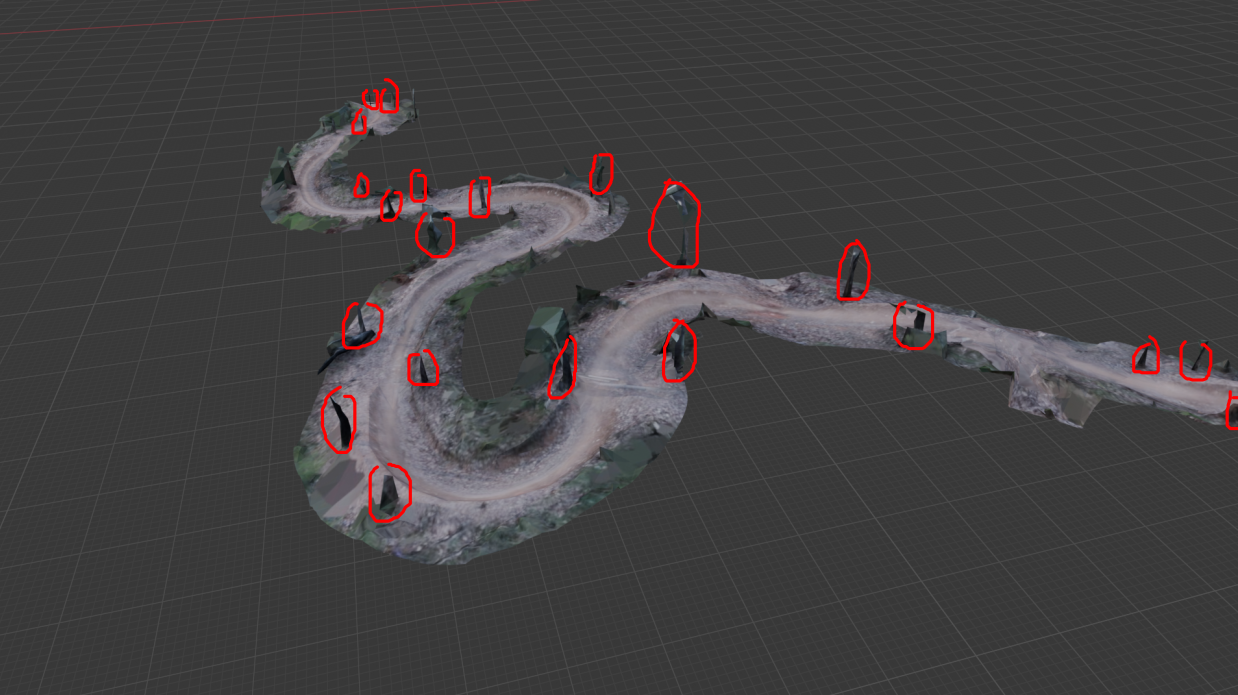
This has to be done automatically, as it is very tedious to mark them out manually. Even just circling the trees above in the photos was tiring and boring.
I tried a few methods, like RANSAC shape detection and clustering to find these. But stumbled upon a very weird but surprisingly effective method, which can be done entirely with geometry nodes in Blender.
And importantly it needs a cool name, so I’m calling this one the “Cone intersection method”.
Intuitively
Looking at this in 2D will help you understand this.
Here is a typical slice of a MTB trail. You have a jump, and a tree.
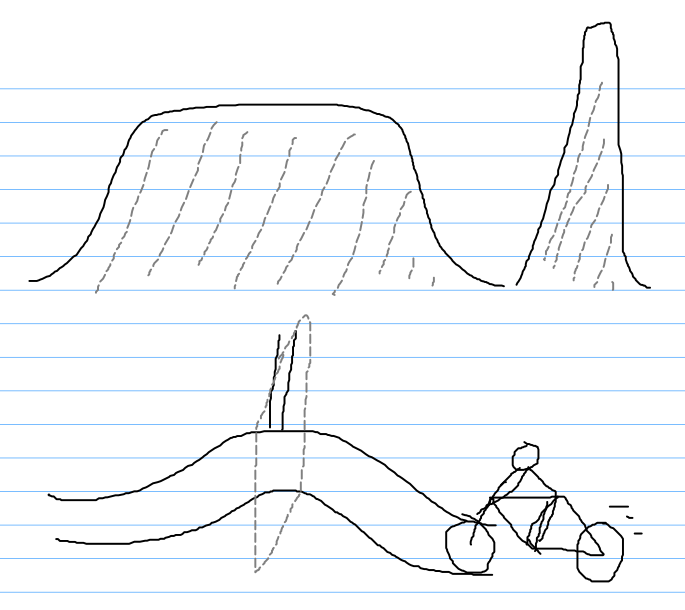
We can’t just take an average plane, as this will capture the top of the jump.
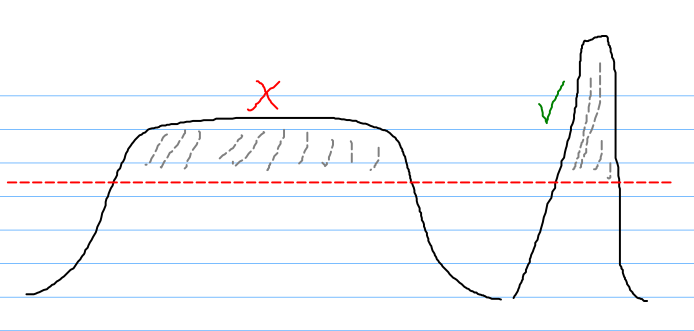
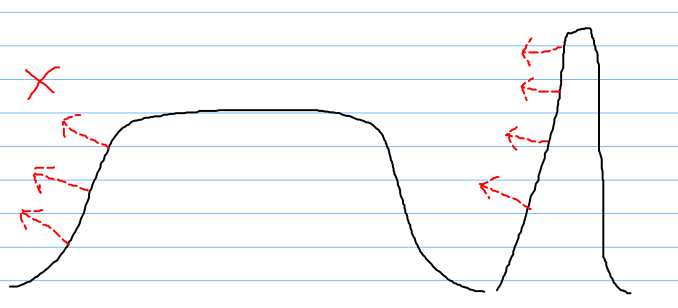
We can’t look at face normals either, as the jump actually has similar face normals.
But imagine if we placed a bunch of upright facing cones (in 2D, triangles), we get something interesting.
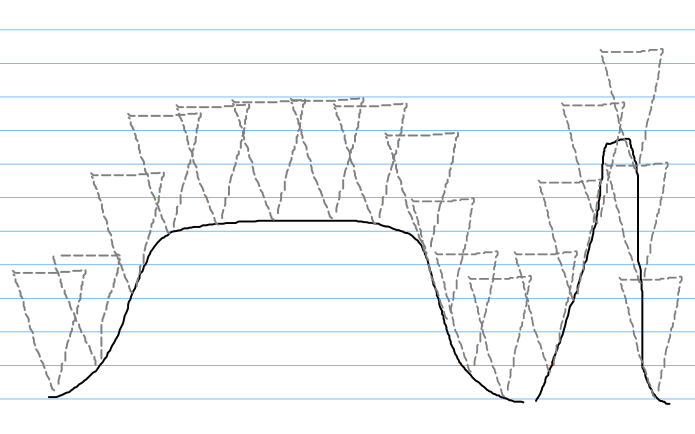
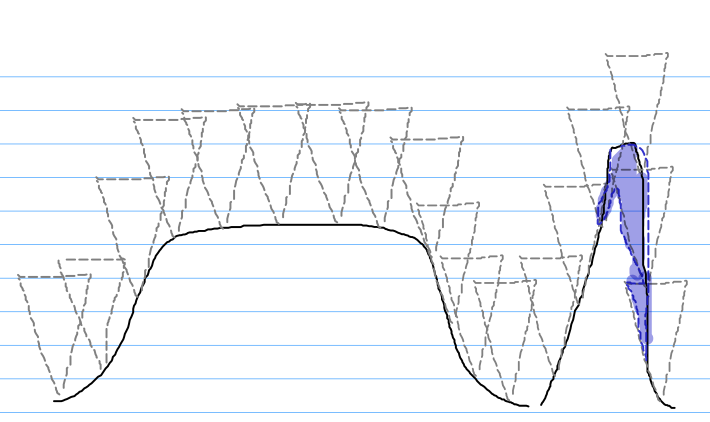
if we did this, we can take the intersection, leaving us with an good approximation of the location of a tree, while excluding low gradient terrain.
3D Implementation in Blender
Using geometry nodes, this is easy to implement.
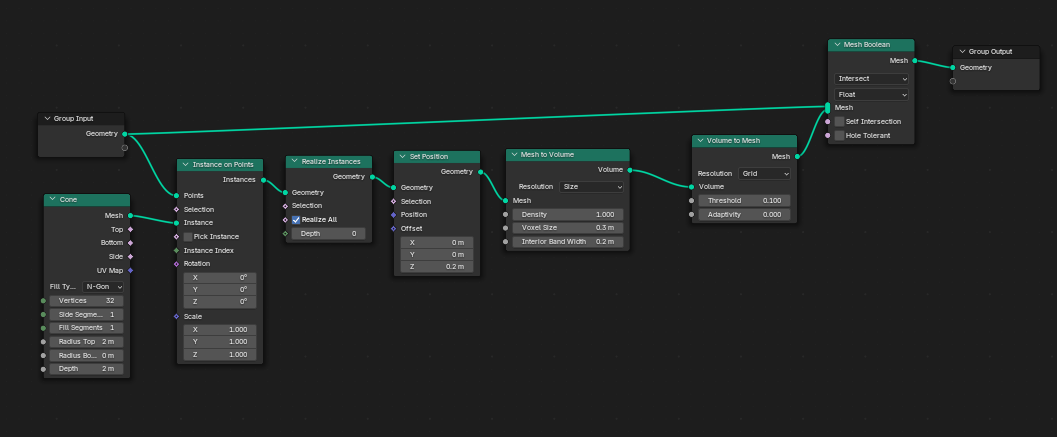
First, a Cone is placed on every face center, and is offset slightly up to avoid touching at the very tip of the cone.
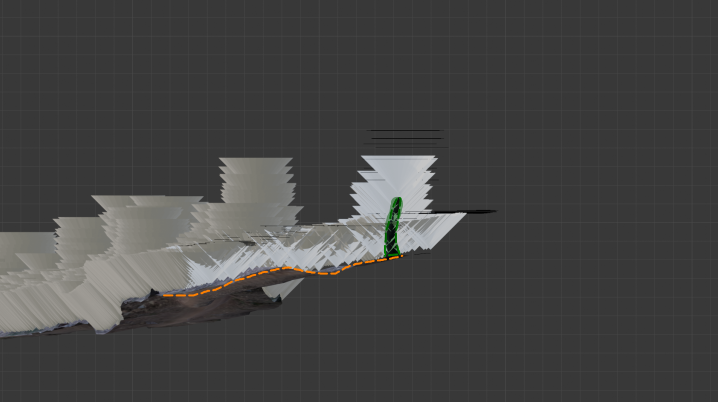
Then these cones are merged, as before they were a set of overlapping meshes which isn’t good for the next step. We merge them be using voxel remeshing (this also reduces the face count massively)
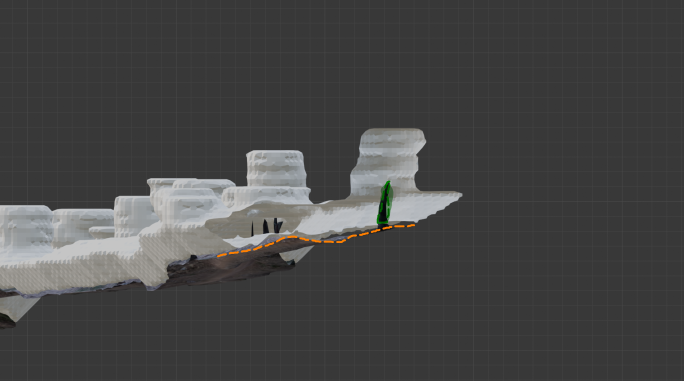
Afterwards we simply get the intersection of the cloud, and the mesh, which gives us a mesh with a bunch of blobs. Each of these floating blobs is the approximate location of a tree.

Using the built in mesh island detection, we can group them together by their island index for further process (in my case, I read the island index in a separate Python script)
By tweaking the offset from the ground, and the cone radius (and therefore the slope) we can adjust this to fit the specific mesh.
As with all methods, this isn’t perfect and does detect some non-trees. However, it is much easier to clean up the few bad detections afterwards than place each manually by hand.
Geometry nodes setup
This is how the geometry nodes setup looks like, if you wish to recreate it yourself.